

Smartivity

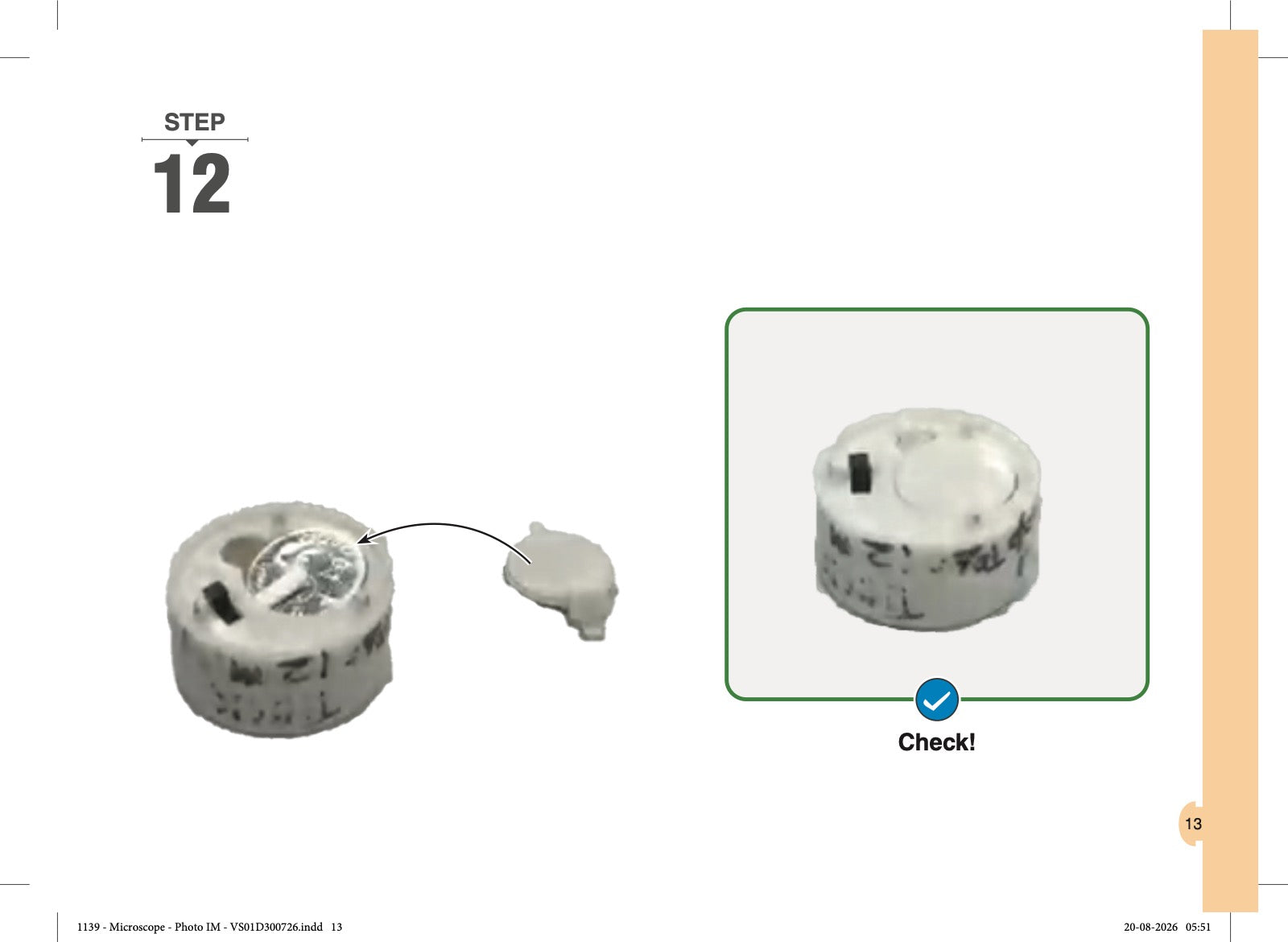
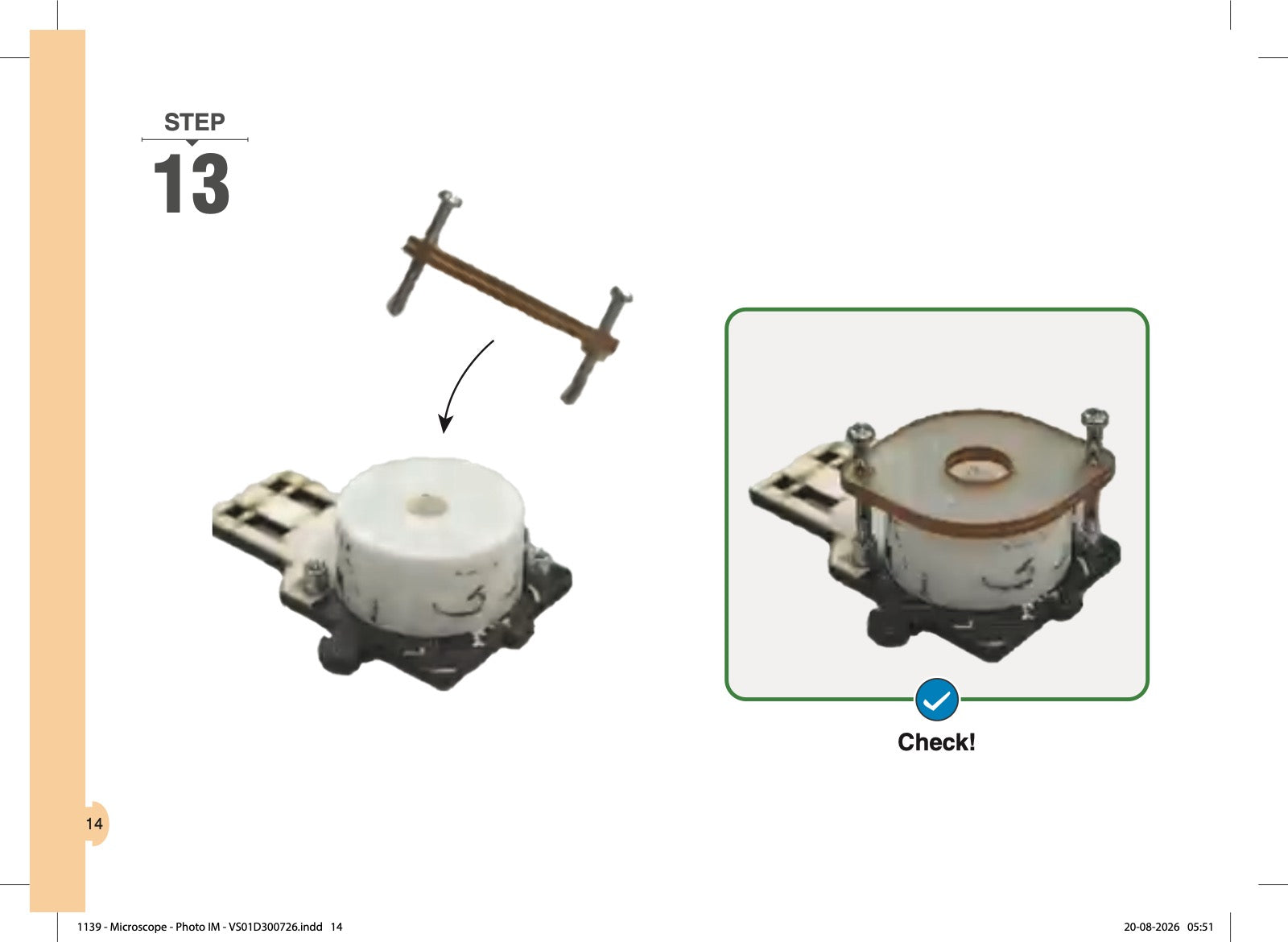
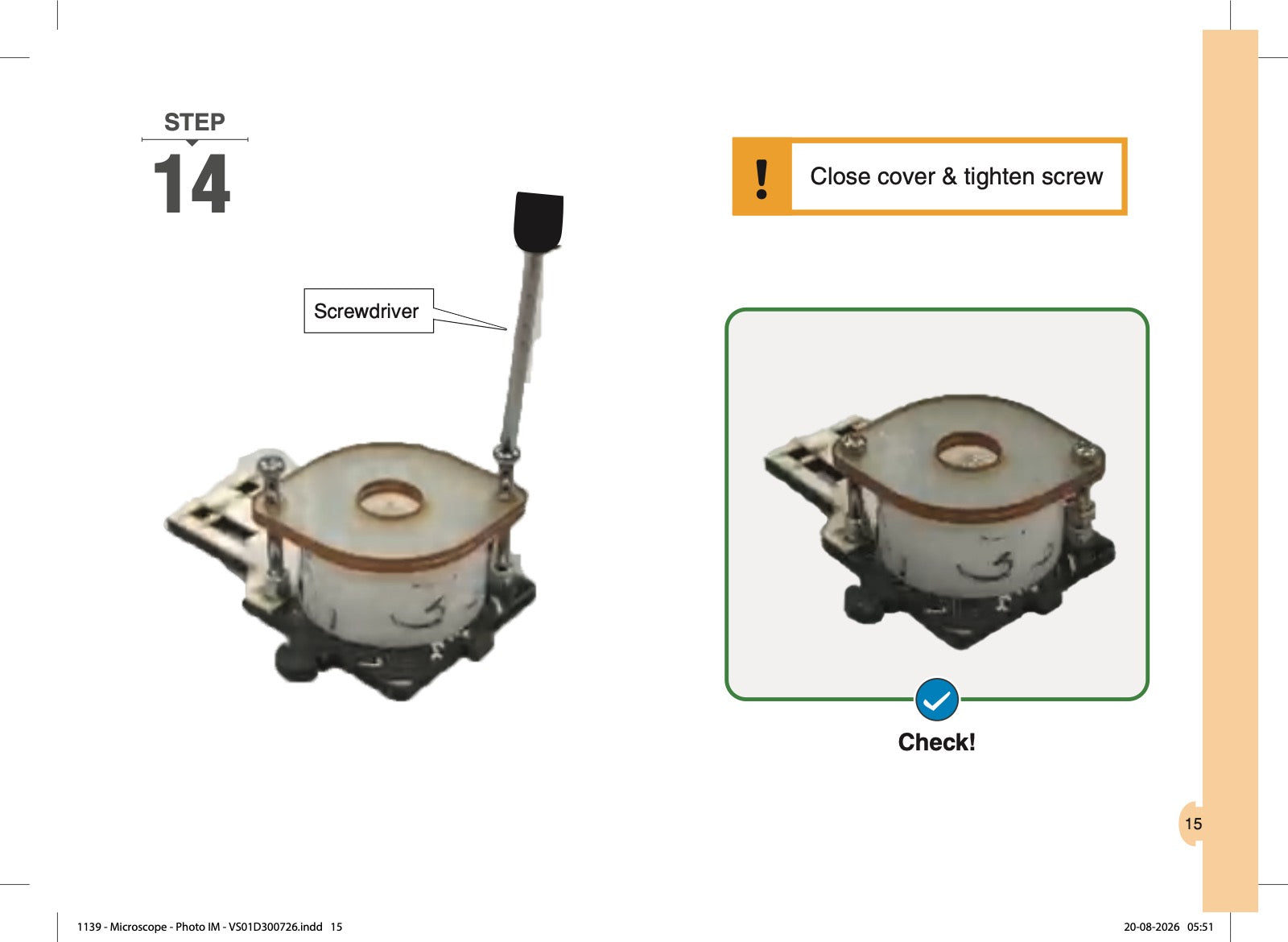
Microscope: How to Change the Battery

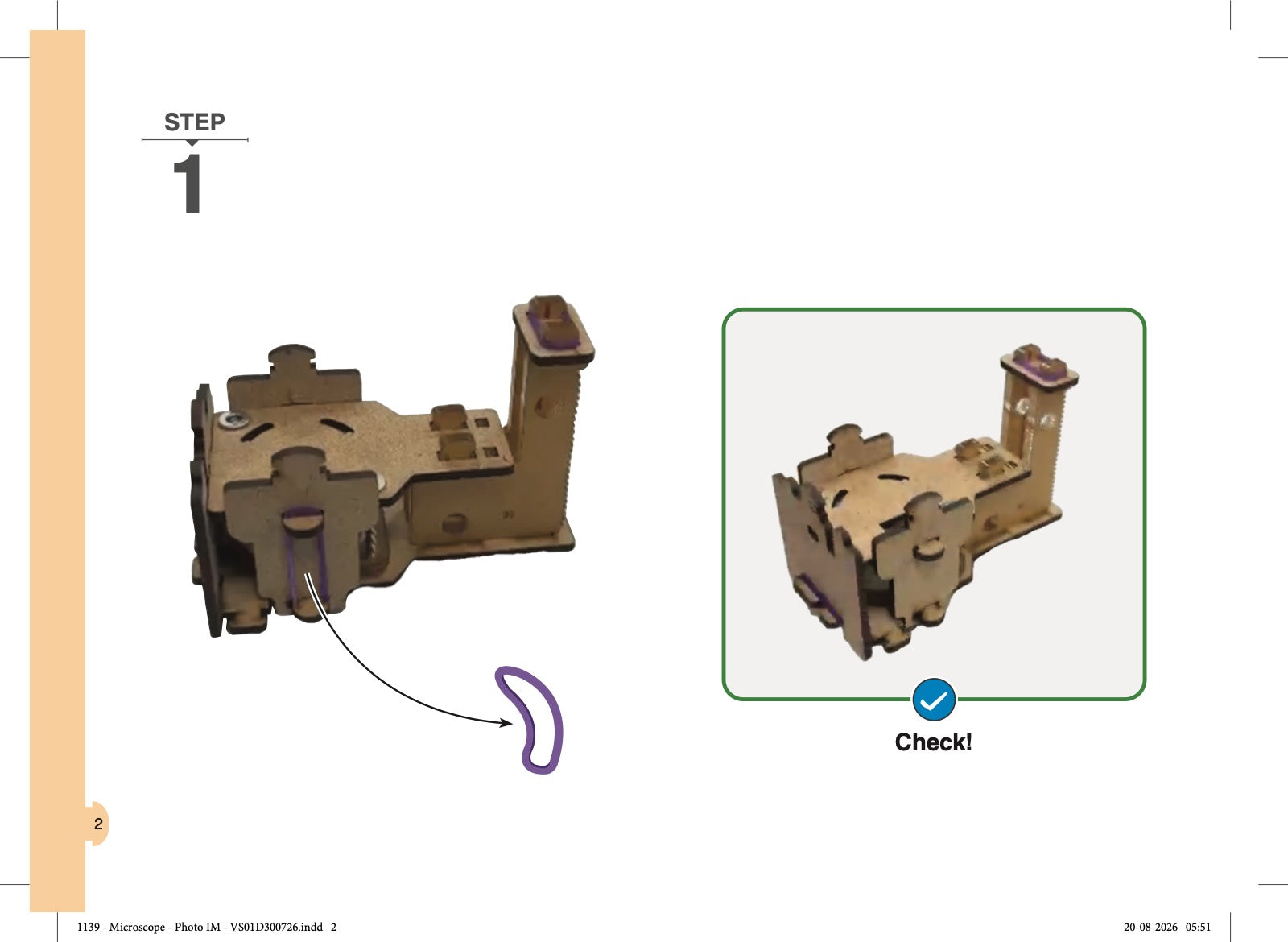
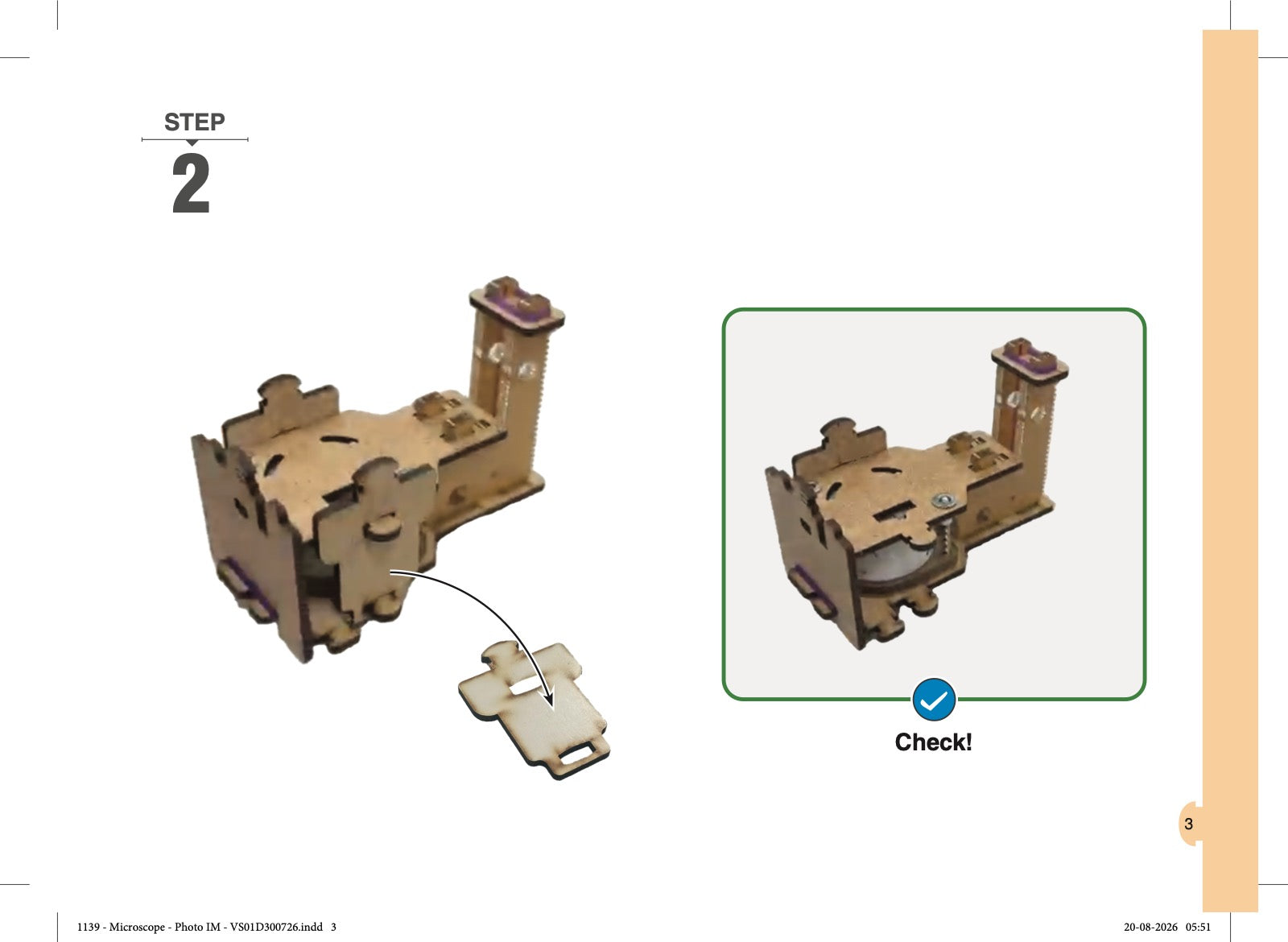
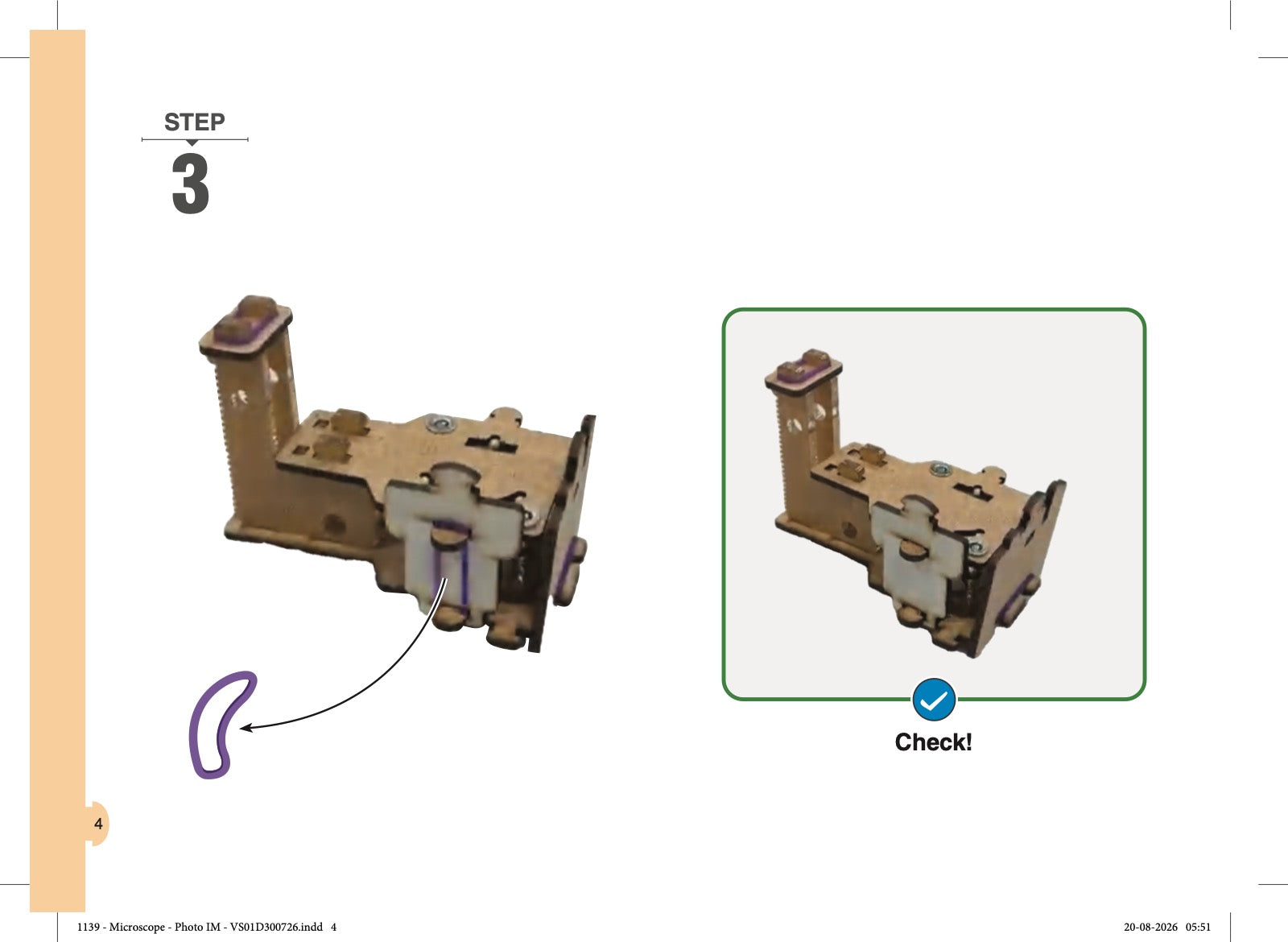
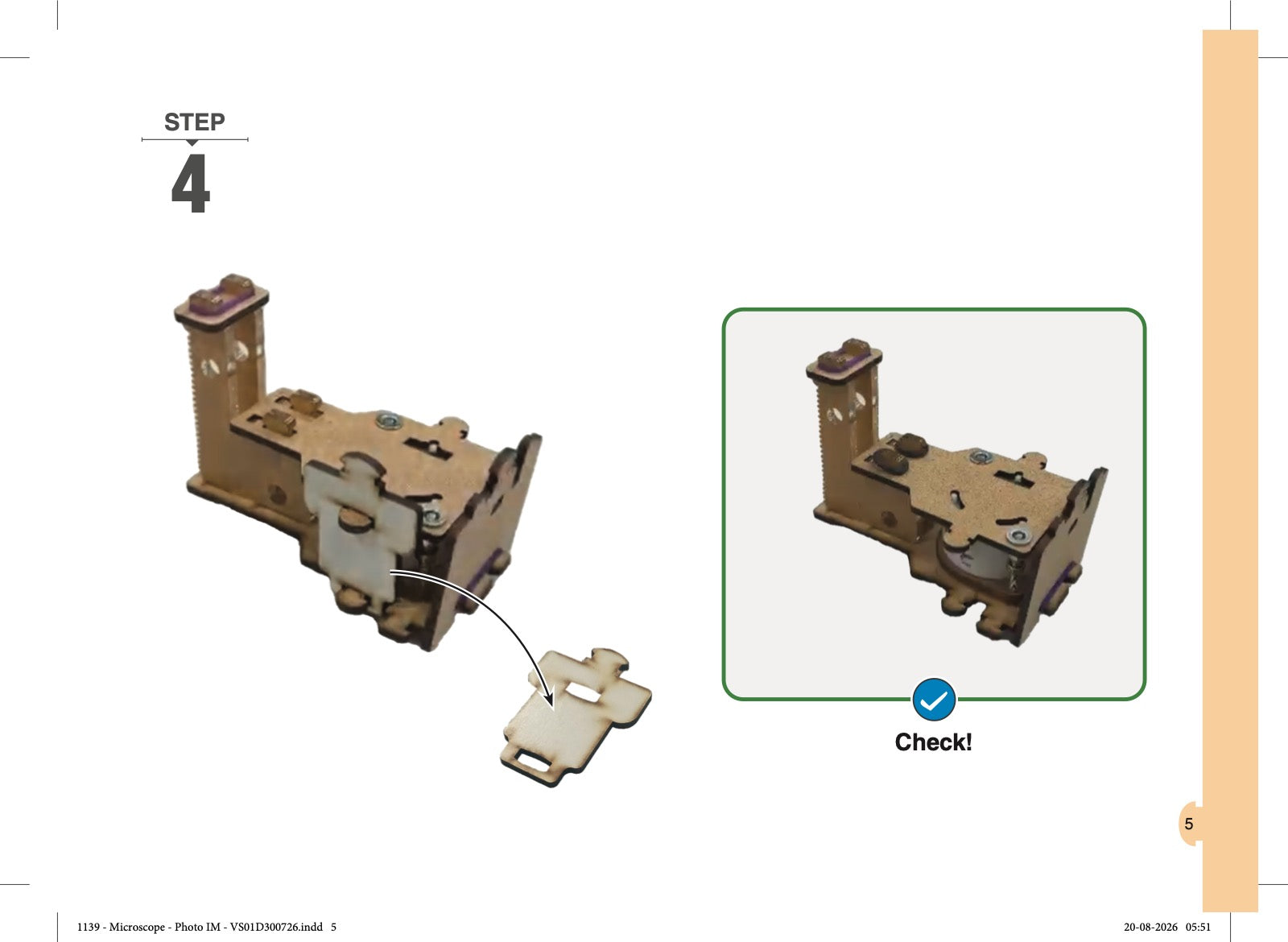
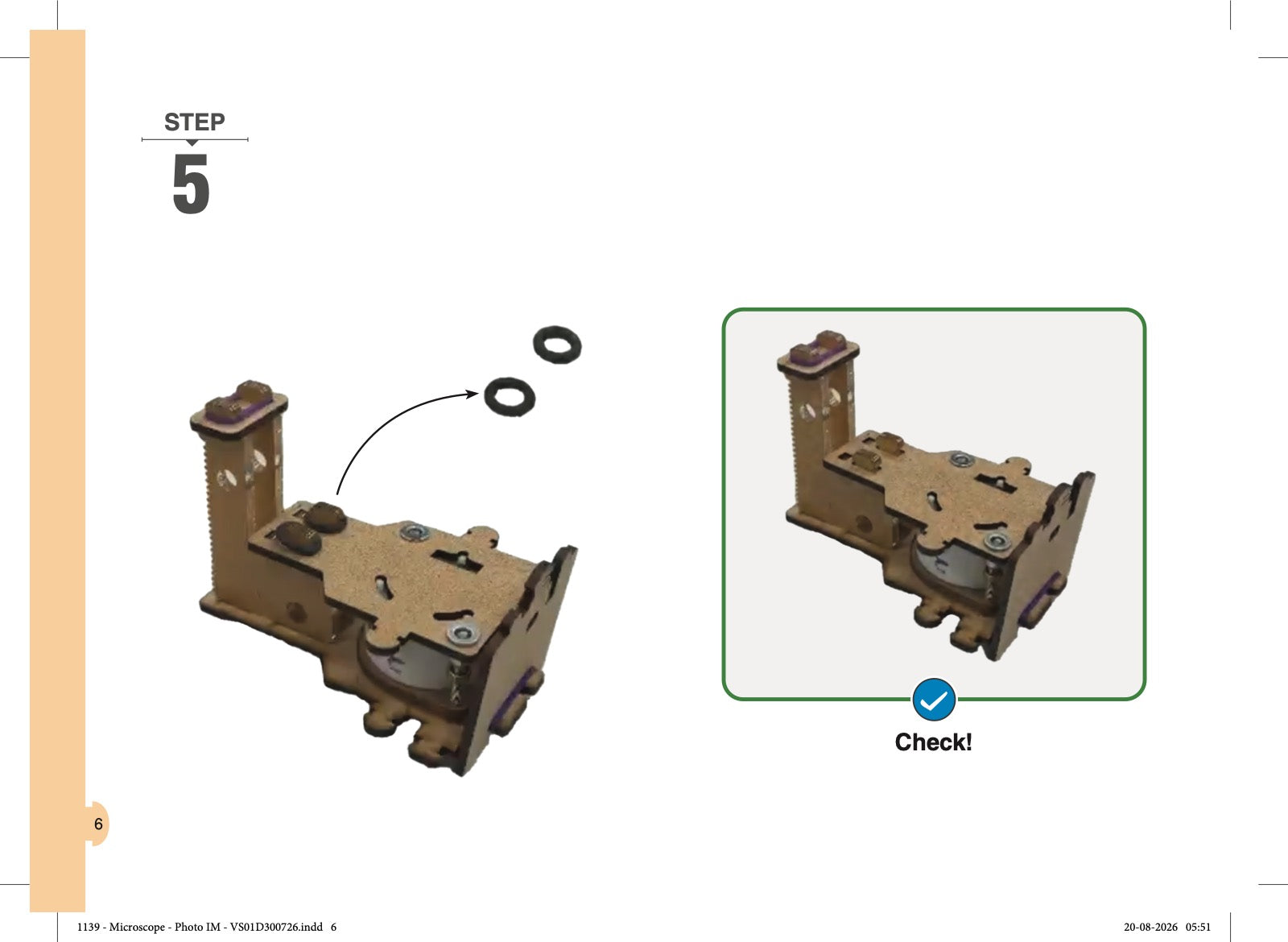
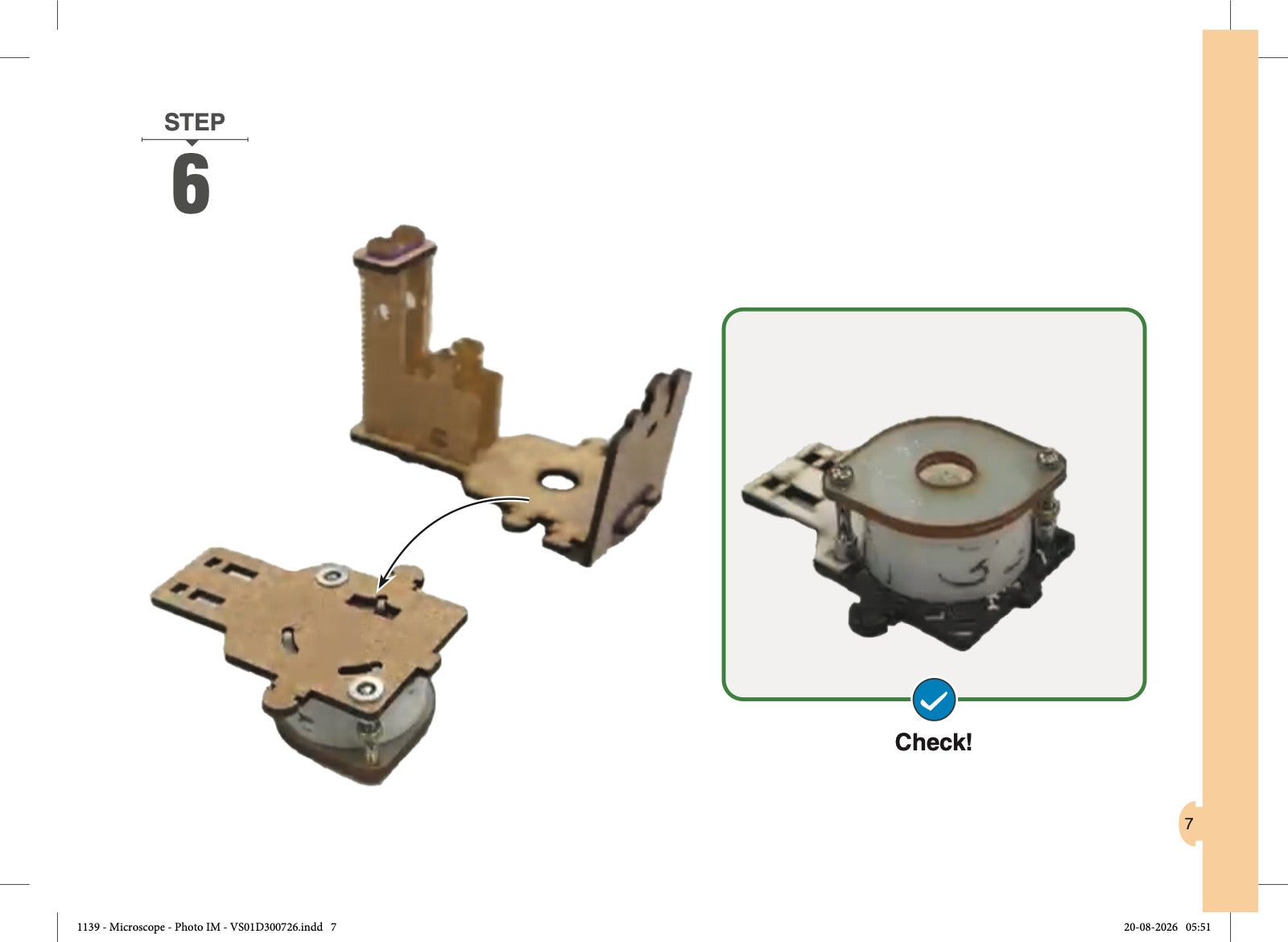
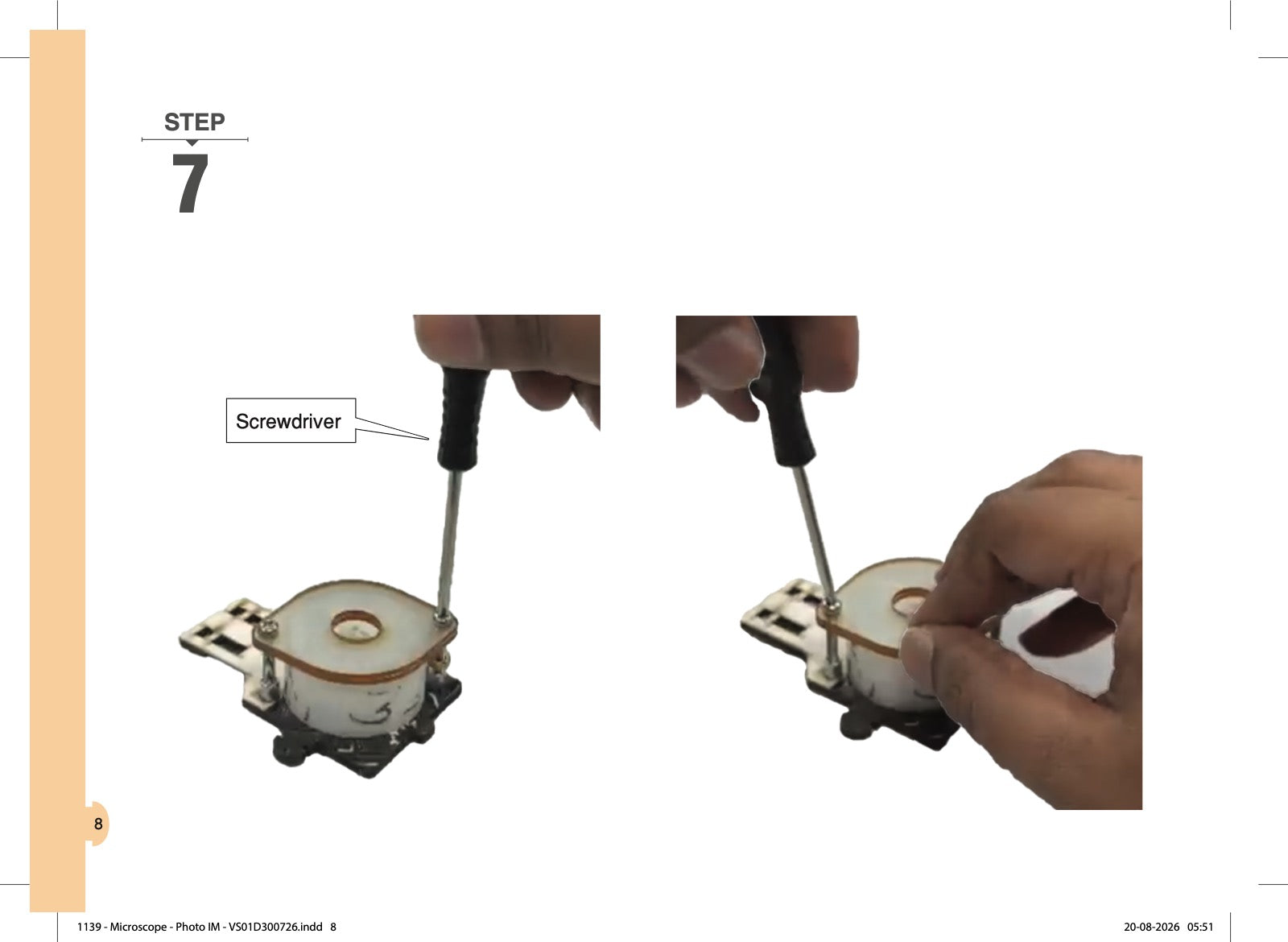
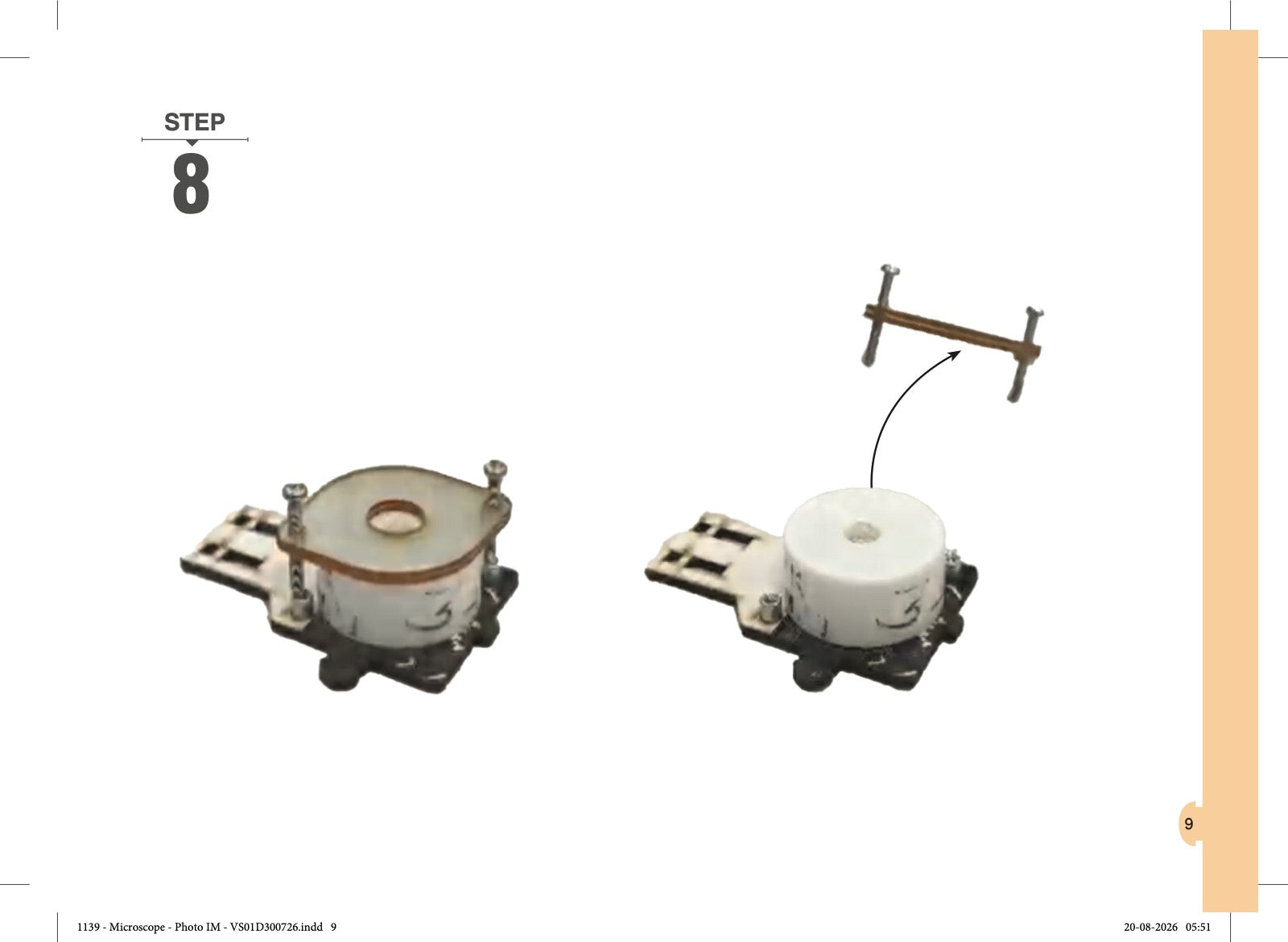
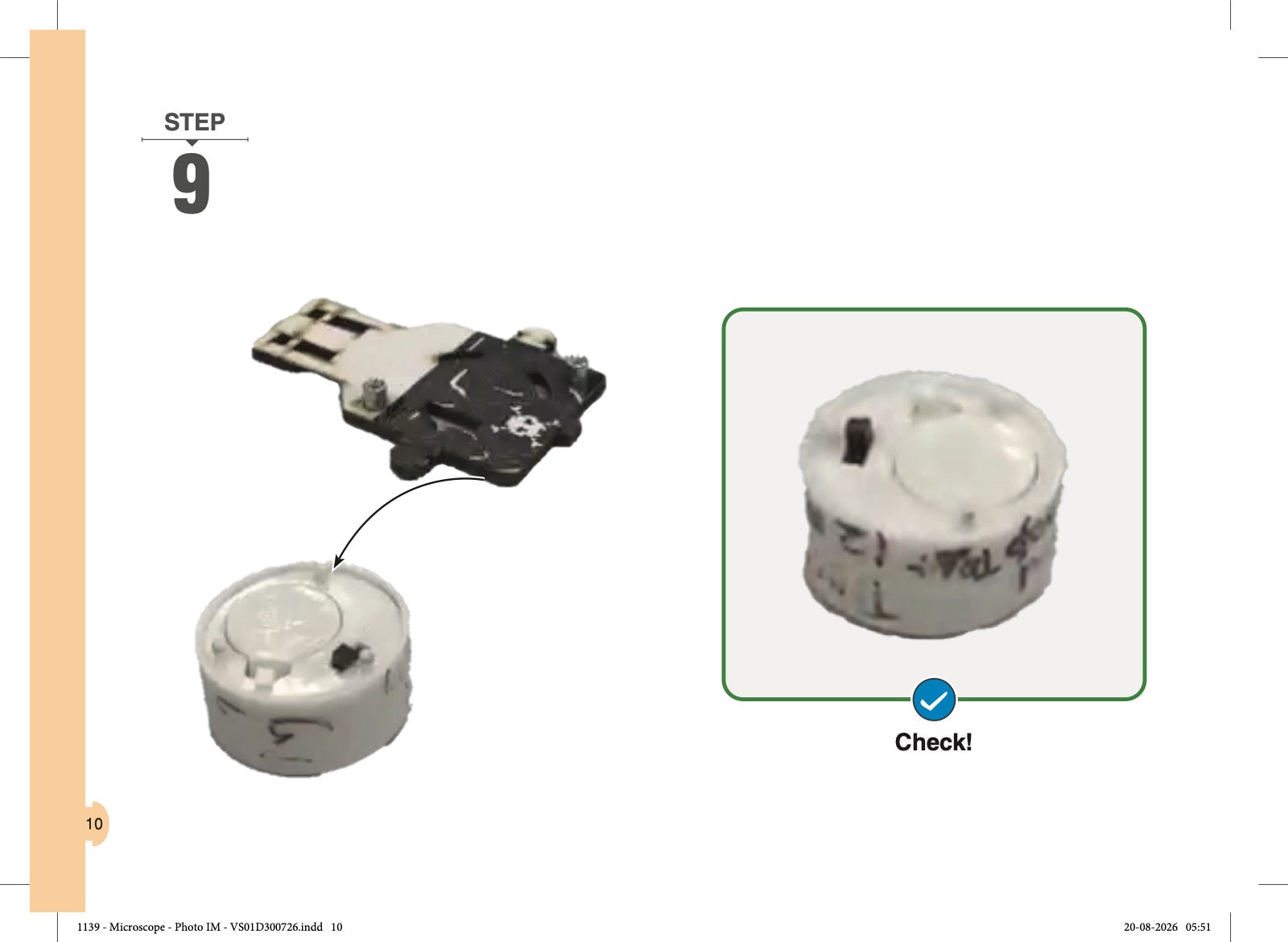
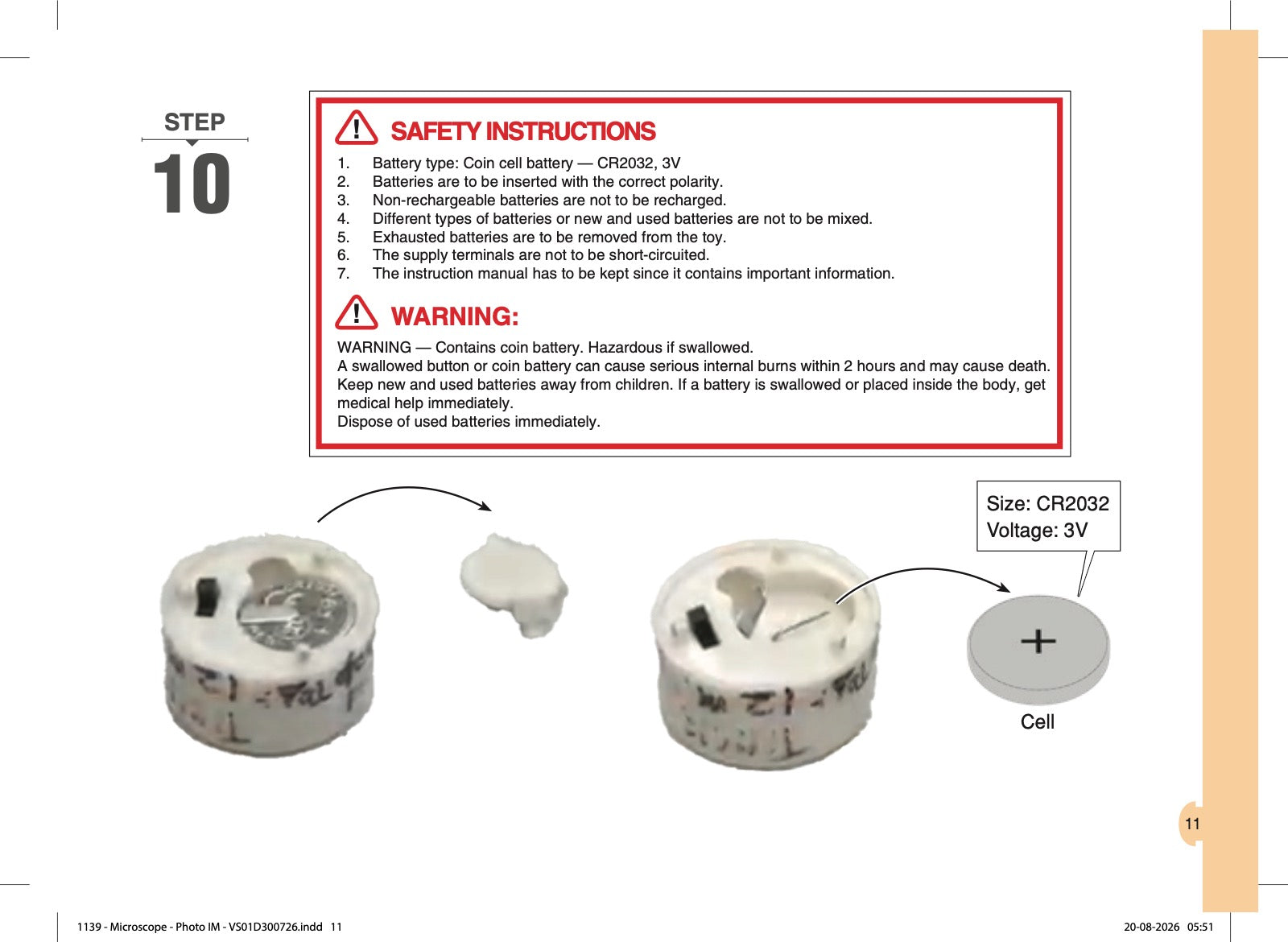
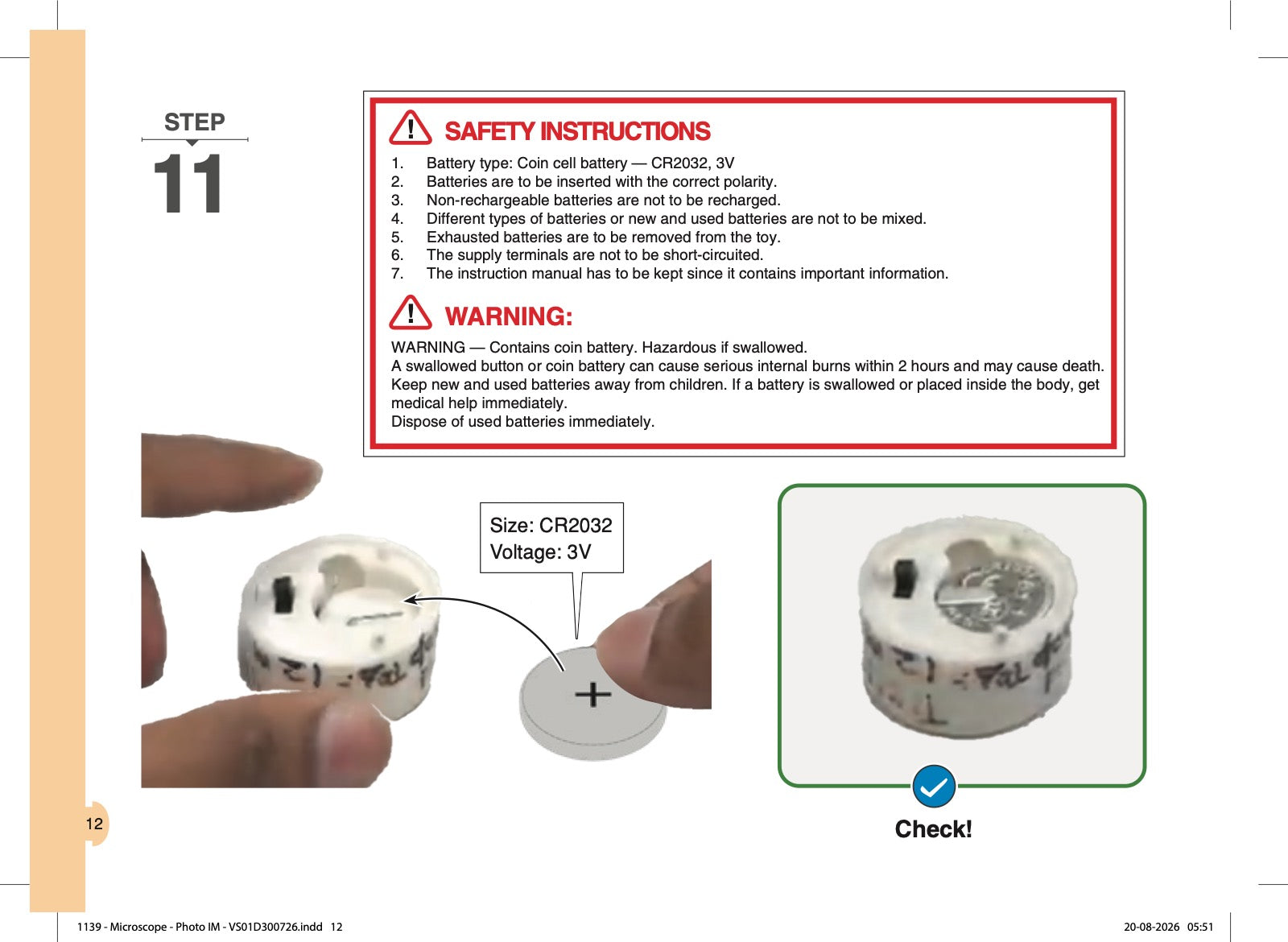
Step-by-step pictures showing how to open your Microscope and change the battery. Read the safety instructions on steps 10 and 11, and ask an adult to help.

Download the PDF
  1. Microscope: How to Change the Battery, page 1 of 15
  2. Microscope: How to Change the Battery, page 2 of 15
  3. Microscope: How to Change the Battery, page 3 of 15
  4. Microscope: How to Change the Battery, page 4 of 15
  5. Microscope: How to Change the Battery, page 5 of 15
  6. Microscope: How to Change the Battery, page 6 of 15
  7. Microscope: How to Change the Battery, page 7 of 15
  8. Microscope: How to Change the Battery, page 8 of 15
  9. Microscope: How to Change the Battery, page 9 of 15
  10. Microscope: How to Change the Battery, page 10 of 15
  11. Microscope: How to Change the Battery, page 11 of 15
  12. Microscope: How to Change the Battery, page 12 of 15
  13. Microscope: How to Change the Battery, page 13 of 15
  14. Microscope: How to Change the Battery, page 14 of 15
  15. Microscope: How to Change the Battery, page 15 of 15

Enjoying Microscope - 100X Zoom?

Tell other parents what your child built. It takes a minute and helps families choose.

Write a review

Missing or broken piece? We send it free: request a part.

Bonus builds for other kits →

Finished your Microscope?

Ready for the next build?

View all toys →